





Dividing up the Joomla FAQ categories
To make navigation more accessible, the Joomla FAQ Accordion extension divides your questions into categories. Not only that, but it also allows you to use Emojis for those categories!
You can add more long-tail keywords through the FAQ Accordion extension, and thus boost your search engine rankings of your Joomla website.
By including FAQs on your Joomla website, you can improve your users' experience by allowing them to access answers to common questions quickly and easily without having to wait for responses.
The FAQ Accordion extension removes the need to wait for answers and provides all the information that’s required for quick decision-making.
To make navigation more accessible, the Joomla FAQ Accordion extension divides your questions into categories. Not only that, but it also allows you to use Emojis for those categories!
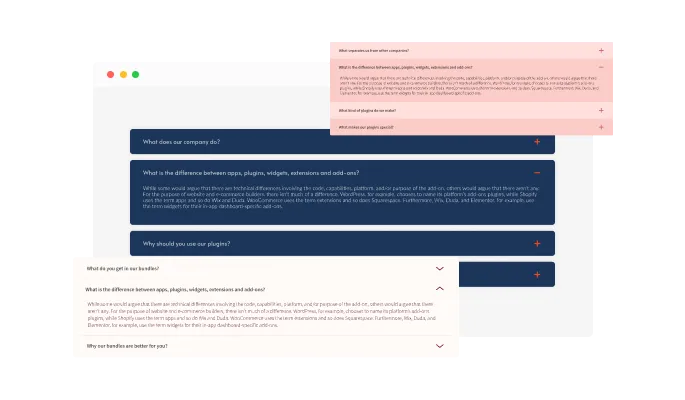
The Joomla Faq extension features various layouts that you can choose from to customize its look and make sure that it fits your design and vision of your Joomla website. Without any coding or design expertise, you can construct a Joomla website that looks professional using these user-friendly and simple-to-use layouts.
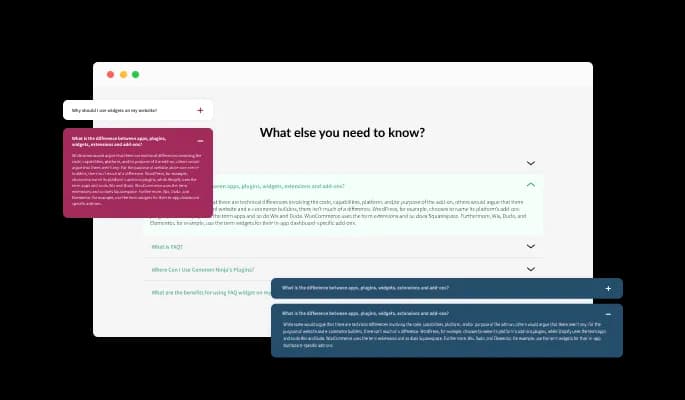
There are multiple icons available for your choice in the FAQ extension. To open the FAQ's answer, would you prefer a downward-facing arrow? How about plus signs? We’ve got the most commonly used icons available for you to choose from. Simply decide which one's Joomla website's design and user interface you like most.
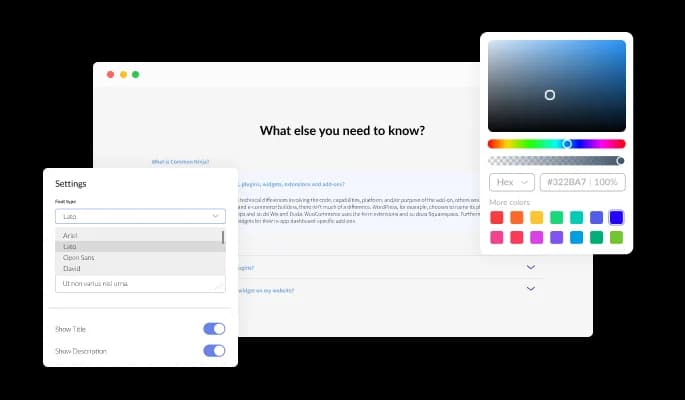
The Faq extension for Joomla features extensive customization options so you can tailor it to your Joomla website. To fit your branding, you can alter the buttons, labels, and colors. In order to create a unified and polished appearance, you may also select from a variety of font choices and modify the font's size, style, and color. To make sure the Faq for Joomla fits seamlessly into your website layout, you can also modify the spacing in addition to these design options.

A search option makes it easy to find questions on your Joomla website using the FAQ extension. If you have lots of FAQs on your Joomla website, or if it’s an FAQ dedicated page, then this feature is paramount to enhancing your users’ navigation experience.

FAQ extension for Joomla allows you to customize your behavior by opening multiple questions one at a time, keeping opened questions open, or opening all of them at once. Also, users can search for particular keywords inside the questions and answers in the FAQ extension for Joomla, making it simpler for them to get the information they require.

There are a variety of beautiful skins available with the Joomla Faq extension, so you don't have to spend time customizing it for your Joomla website. In addition, these skins work with almost any design color scheme and allow you to quickly and easily create beautiful Faq extension for any Joomla website.
![FAQ - Fully Responsive for your Joomla websitesite_type]](/_next/image?url=https%3A%2F%2Fwebsite-assets.commoninja.com%2Fimages%2F1672129060242_box-easy-to-use.webp&w=64&q=75)
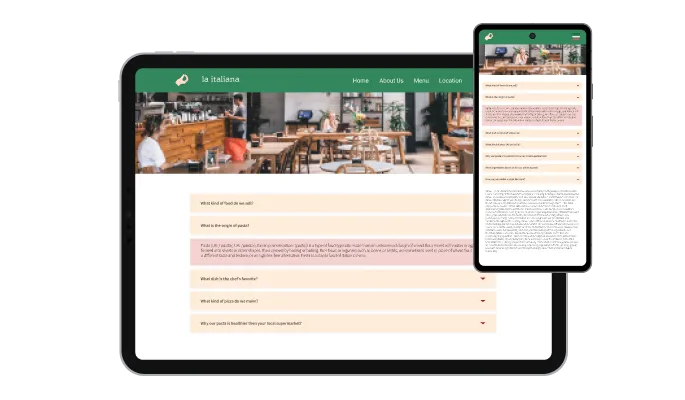
The Faq extension for Joomla is 100% responsive and will look wonderful on any device. In addition to being totally responsive, or effortlessly adjusting to match the screen size of any device, it also offers a sleek and contemporary style that will improve the overall appearance of your Joomla website. Having a website that is optimized for mobile viewing is essential in a world where increasing numbers of people access the internet via their phones and tablets. The Faq extension will allow you to do just that, giving you an edge over competitors.
The Faq Accordion for Joomla doesn't require any coding knowledge. You can customize extension by dragging-and-dropping on our intuitive dashboard.
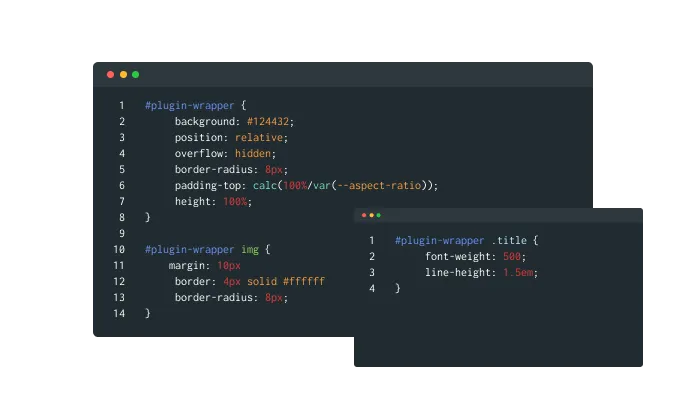
Faq for Joomla can be further customized using custom CSS, as with the rest of Common Ninja's extensions. With this feature, you can easily customize every aspect of the extension's look and feel, from the colors and fonts to the layout and positioning. Yet, if you're in the mood for some serious creativity, you can enhance your customization by making changes straight to the CSS. This offers you the ability to customize the Faq extension even more and make it uniquely yours. Whether you want to make a few simple tweaks or go all out with advanced customizations, our advanced editor has you covered.
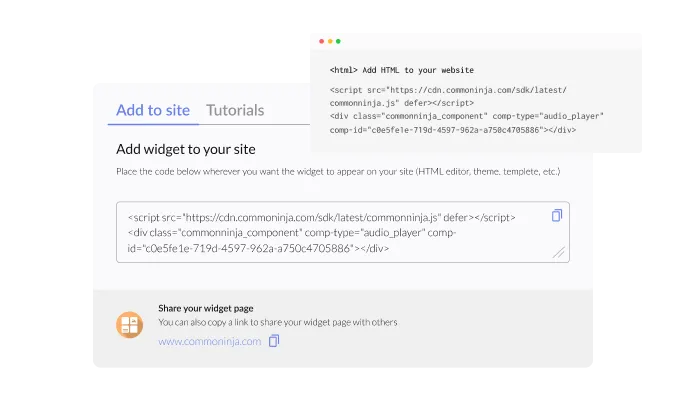
A single line of code allows you to embed the Faq extension on your Joomla website. With every change you make, the Joomla Faq will be automatically updated on your Joomla website.
Yes, you can easily group FAQs under different categories via the “Categories” tab on the dashboard.
Yes, you can easily change the expanded icons via the “Look & Feel” tab on your dashboard.
Yes, you can! The FAQ Accordion widget features full RTL support.
Yes, the FAQ Accordion widget features a search option that you can toggle on or off.
Yes, you can change how the widgetopens FAQs via the “Settings” tab on the widget’s dashboard.
Yes, you can! You can do this from within the “Look & Feel” tab on the widget’s dashboard.
Using the FAQ Accordion widget is very easy. Simply sign up and start using the free version. There's no need to worry about complicated setup or installation processes, as the FAQ Accordion widget is designed to be user-friendly and straightforward. Once you've signed up, you'll have access to all of the basic features and functions of the widget, which you can use to enhance your website and improve your online presence. From there, you can choose to upgrade to the paid version if you want to access more advanced features and capabilities. Regardless of which version you choose, you'll find that the widget is a powerful and easy-to-use tool that can help you take your online presence to the next level.
The Common Ninja FAQ Accordion widget is a free tool reach with features and options. While this widget is free to use, it does have a limit on the number of views it can handle. This means that after a certain number of views, the chat button may no longer be visible or functional on your website. It is important to note that this view limit may vary depending on the plan you are using. Despite this limitation, Common Ninja's FAQ Accordion is still a valuable tool for businesses looking to increase customer engagement and improve the overall user experience of their website.
The Common Ninja's FAQ Accordion widget is a versatile tool for any website builder. This means that you can easily add this widget to your website or store no matter what platform you use to build your website. The FAQ Accordion widget will work seamlessly with your platform whether you are using a popular website builder or something more specialized. This means you can enjoy all the benefits of this powerful tool without having to worry about compatibility issues.
It’s very easy to embed Common Ninja’s FAQ widget on your website and the process consists of two steps:
The FAQ Accordion widget is designed to comply with the General Data Protection Regulation (GDPR), a set of EU regulations protecting personal data and privacy. When using the FAQ Accordion widget, you can be confident that it will not collect or store personal data that could violate GDPR regulations. This ensures that your business is in compliance with these regulations and can protect your customers' data privacy. Overall, the FAQ Accordion widget is a secure and reliable tool that can be used to enhance your website without any concerns about GDPR compliance.
No need for coding skills. Our FAQ Accordion widget is designed to be easy to use, even for those with limited technical experience. The widget features a user-friendly interface that allows you to easily customize the widget without coding knowledge. You can fully customize the FAQ Accordion to match your branding. When you're done, simply copy the provided code and paste it into your website. It's that simple!
Embedding the FAQ Accordion widget on your website is a straightforward process. Simply copy the provided code and paste it into the desired location on your website. The widget will seamlessly integrate into your site, allowing you to take advantage of its features and functions. No technical expertise or programming knowledge is required - just copy and paste the code to get started. This simple process allows you to easily add the widget to your website and enhance its functionality without any hassle.
Yes. We are eager to hear your request. Please refer to this page.
There are several reasons why you might want to use an FAQ (frequently asked questions) widget on your website.
First, an FAQ widget can help provide your visitors with clear and concise information. By answering common questions in advance, you can save your visitors the time and effort of contacting you or searching for the information themselves. This can improve the user experience on your website and make it more convenient for your visitors to find the information they need.
Second, an FAQ widget can help improve your website's search engine optimization (SEO) by providing more content for search engines to index. Including a wide range of relevant keywords and phrases in your FAQs can improve the chances that your website will appear in search results for those terms. This can help to drive more traffic to your website and increase your visibility online.
Third, an FAQ widget can help to improve customer service by providing quick and easy answers to common questions. By providing detailed and accurate answers to frequently asked questions, you can help to reduce the number of customer support inquiries you receive and free up time and resources for more complex or challenging issues. This can improve the overall efficiency of your customer service operations and help to build trust and credibility with your customers.
An FAQ accordion is an interface element used to display a list of frequently asked questions (FAQs) on a website. The accordion allows users to view the questions and answers one at a time by clicking on the question. When a user clicks on a question, the answer to that question is revealed below it. The other questions remain hidden, creating a compact and organized display of information. The accordion design allows users to easily access and browse the FAQs without having to scroll through a long list of questions and answers.
Yes, an FAQ page can be good for SEO. An FAQ page provides an opportunity to include a variety of relevant keywords and phrases on your website, which can help improve your search engine rankings. An FAQ page can also provide helpful information to users, which can increase their time on your website. This can signal to search engines that your website is valuable and relevant, which can also improve your rankings. In addition, an FAQ page can help improve the user experience on your website, making it more likely that users will share your content and link to your website, both of which can also help with SEO.
The terms FAQ and Q&A are often used interchangeably, but they actually have slightly different meanings. FAQ stands for "Frequently Asked Questions," and it refers to a list of common questions and answers about a particular topic or product. An FAQ page is usually organized by topic, with each question and answer presented in a clear and concise manner. The purpose of an FAQ page is to provide users with quick and easy access to information they may be looking for.
Q&A, on the other hand, stands for "Questions and Answers." This term is typically used to describe a format or format where users can ask and answer questions on a particular topic. For example, a Q&A forum or website allows users to post questions and receive answers from other users or experts. The purpose of a Q&A format is to facilitate discussion and sharing of knowledge on a specific topic.
Yes, FAQs can be a good element of user experience (UX) design. An FAQ page provides users with quick and easy access to information they may be looking for, which can improve their overall experience on a website. By anticipating and addressing common questions and concerns, an FAQ page can also help to reduce friction and improve the user's ability to find what they need on a website. In addition, an organized and well-designed FAQ page can make a website feel more professional and trustworthy, which can also improve the user experience. Overall, incorporating an FAQ page into a website's design can be a useful way to improve the user experience.